Please note : This help page is not for the latest version of Enterprise Architect. The latest help can be found here.
Autohide Windows
Autohide Using the Toggle Button
| • | You can automatically hide browser frames by clicking on the  button, located in the top right corner of the frame button, located in the top right corner of the frame |
| • | To turn off the autohide for a particular set of windows within a frame, click on the  button button |
Use Automatically Hidden Windows
When you automatically hide a set of windows in a frame, the tabs contract to the outside of the application workspace.
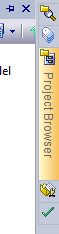
Hover the cursor over a window symbol to expand both the tab and the associated window.
You can also use the View | Visual Style | Animate Autohide Windows menu option to animate windows that have been automatically hidden.
The material ("material" includes all pages, documents and on-line graphics) on this web site is protected by copyright law. (C) 1998-2013 Sparx Systems Pty Ltd.