Book a Demo
Sparx Systems Enterprise Architect 17 Full Lifecycle Modeling and Design

Enterprise Architect Modeling and Design Tool Suite ENTERPRISE ARCHITECT 17.1

Today's decisions define tomorrow's actions

A sophisticated and user-friendly modeling and design platform tailored for modern needs, seamlessly blending exploration and innovation. Grasp the present, envision the future, and construct a dynamic model that is both robust and far-reaching. Your model will serve as a compass, empowering your vision, your team's goals, and your company's trajectory.

Modeling, Collaborating & Governance

Tools, Technologies and Frameworks

Prolaborate 5.6

Registered Download Enterprise Architect v17.1
Download the Registered editions of Enterprise Architect 17.1.


Modeling, Collaborating & Governance

Some Image

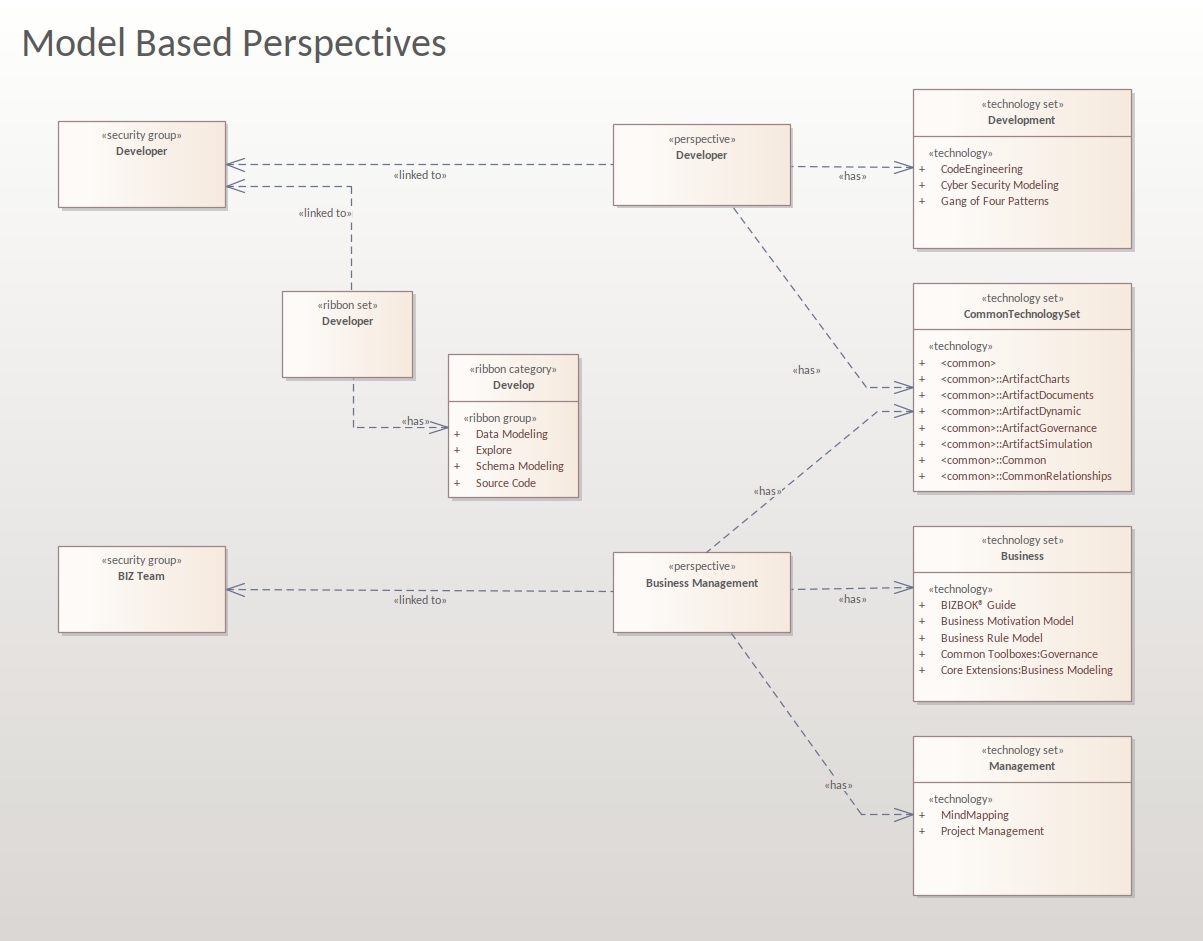
Model Based Perspective Sets

Use the new 'Model Perspectives' technology to model and publish custom Enterprise Architect Perspectives, right from the diagram. Enterprise Architect has a rich interface, and this new technology allows you to tailor a focused user interface to suit your specific needs depending on your role and tasks. New model patterns have been included in the technology to help you get started, providing a solid base to customize your toolbars, ribbons, toolboxes, and diagram types based on a specific set (one or more) of security profiles.
Model Based Perspectives
The Perspectives Technology provides:
  1. Model Patterns: Quickly get started with building custom perspectives using model patterns.
  2. Model Perspectives Toolbox: Ready-to-use patterns provide access to out-of-box perspectives, technology set patterns, ribbon category elements, and ribbon group attributes.
  3. Publish and Import Commands: Easily publish a Package as a Perspective and import a Package as a Perspective using commands added to the Specialize menu ribbons.
  4. Internal Perspective Stereotype: Allows security groups to access existing perspectives as well as model-based perspectives.
  5. Unload Perspective Workspaces: A command to unload previously loaded perspective workspaces.
Model Base Perspective - Model Wizard
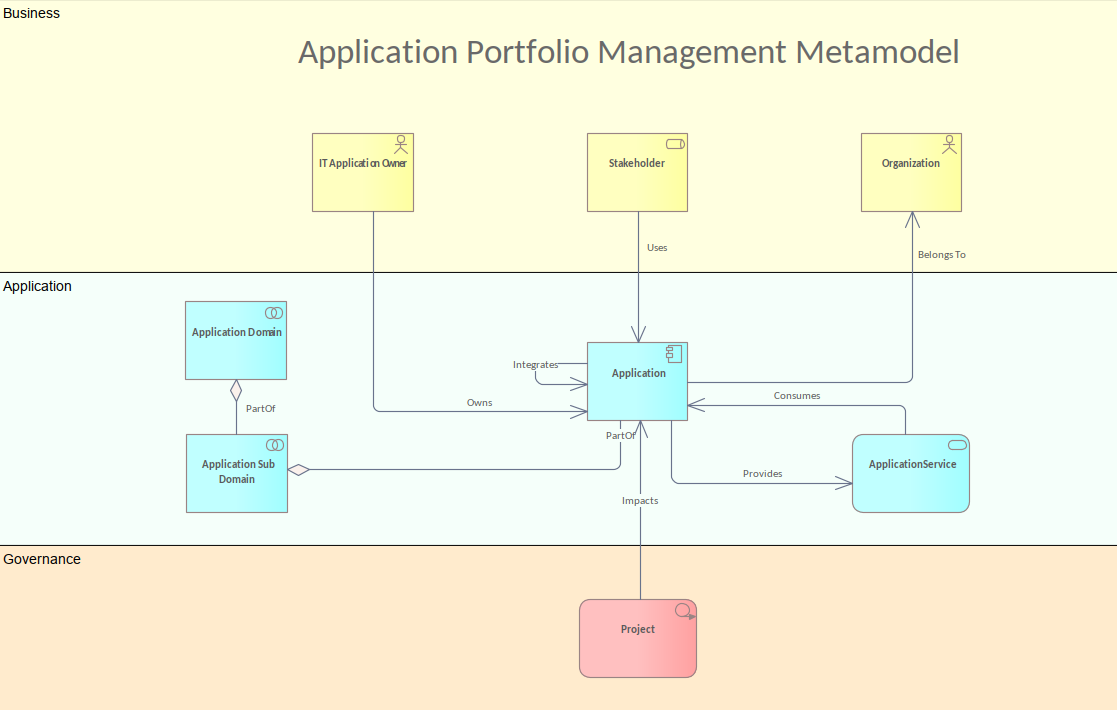
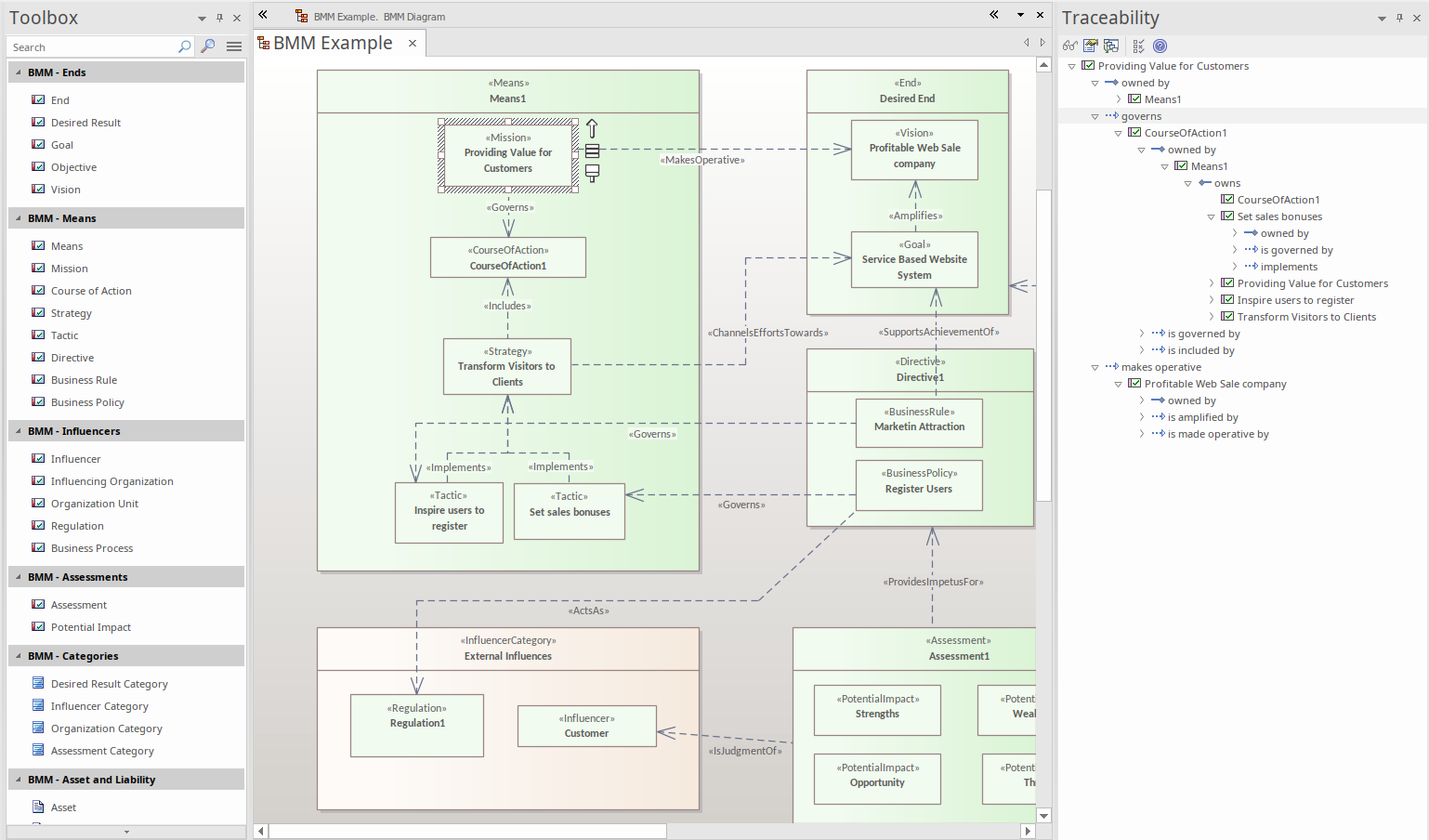
APM, BCM, and TPM Accelerators

Enterprise Architect 17 ships with specialized model-based perspectives designed to accelerate Application Portfolio Management (APM), Business Capability Modeling (BCM), and Technology Portfolio Management (TPM).

These accelerators offer:
  • Focused Tools and Templates: Pre-configured perspectives tailored to APM, BCM, and TPM, providing the exact tools, templates, and workflows required for these critical areas.
  • Efficiency and Productivity: Accelerate project initiation and execution with perspectives that streamline processes and reduce setup time.
  • Best Practices Integration: Incorporate industry best practices into your modeling environment, ensuring robust and effective management of applications, business capabilities, and technology portfolios.
APM Metamodel
Model based perspective
Instantly Activate Perspectives

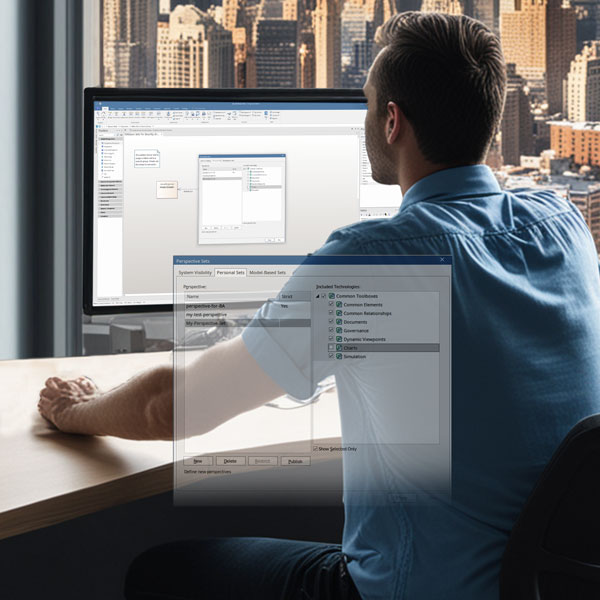
Once activated, the custom perspective will immediately apply its changes to the model, modifying every user's UI and perspective based on their security group. This provides a powerful way to focus different security groups on different tasks, giving them the exact tools and technologies they need. Users have the option to switch between perspectives to achieve different views for different purposes.

Enhanced Customization and Extension

Model-based perspectives make it much easier to customize and extend existing technologies within Enterprise Architect. By leveraging model perspectives, you can:

  • Streamline Customization: Tailor the interface and tool-sets to specific roles and tasks, ensuring that users have access to the tools they need without unnecessary complexity.
  • Extend Technologies: Build on existing technologies by adding or modifying toolbars, ribbons, toolboxes, and diagram types to fit unique project requirements.
  • Role-Specific Interfaces: Create focused user interfaces that enhance productivity by aligning tools and functionality with the specific needs of different security groups.
  • Seamless Integration: Integrate new perspectives smoothly into your existing workflow, reducing the learning curve and increasing efficiency.
  • Dynamic Adaptability: Easily switch between different perspectives to adapt to changing project demands and ensure that all team members are working with the most appropriate tools and views.
Perspectives for Specific Groups

Enterprise Architect 17 also includes model-based perspectives tailored for specific professional groups, ensuring that each role has the tools and views needed to maximize productivity:

  1. Software Engineers: Custom perspectives designed to support software development processes and tools.
  2. Systems Engineers: Tailored interfaces for systems engineering tasks, ensuring efficient workflow management.
  3. Data Modelers: Perspectives that focus on data modeling tools and techniques, enhancing data management and analysis capabilities.
  4. Application Architects: Custom views and tools for designing and managing application architectures.
  5. Business Architects: Perspectives that align with business architecture methodologies and tools, supporting strategic planning and analysis.
  6. Technology Architects: Interfaces designed for technology architecture tasks, ensuring effective technology portfolio management.
Enterprise Architect 17’s model-based perspectives empower you to create a highly customized and efficient modeling environment, tailored to your organization's unique needs and enhancing overall productivity.
Model based perspective

Working with Data Warehouse Schemas

Collaborative modeling, defining your enterprises Data Warehouse
Data Warehouse Schema

Enterprise Architect 17 expands its database engineering support for Data Warehouse technologies. The MDG Technology for Data Warehouse Schema provides profiles to build schema for Data Warehouse technologies:
Support for dedicated Data Warehouse Databases:
  • Amazon Redshift
  • Azure Synapse
  • Google BigQuery
  • Snowflake
  • Teradata


Hybrid / Analytical Databases and Platforms:
  • Apache Hadoop
  • Apache Spark
  • Apache CouchDB
  • MongoDB
  • Pentaho


Traditional Databases that can be used for Data Warehousing:
  • IBM DB2
  • Firebird
  • MS Access
  • MySQL
  • Oracle
  • PostgreSQL
  • SQL Server
  • SQLite
The UML Profile for each Data Warehouse technology contains stereotypes for each construct of the selected technology created using the respective Data Definition Language (DDL).

The tagged values of the stereotypes captures the properties of the technology constructs.

Import existing DDLs to bring existing configurations of the data warehouse into your model. Generate out new DDL definitions for use in your Data Warehouse system.

* During the beta period some of these technologies are still work in progress

Enterprise Data Warehousing

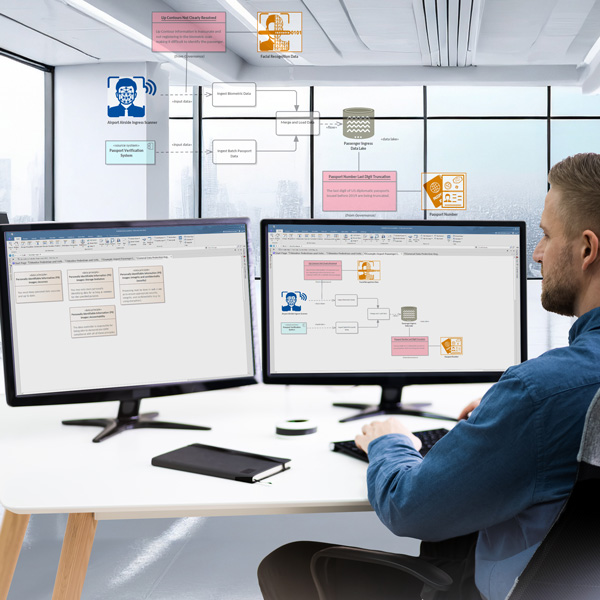
Unlock a standardized way to model and represent the concepts, elements, and relationships commonly found in data warehousing systems.

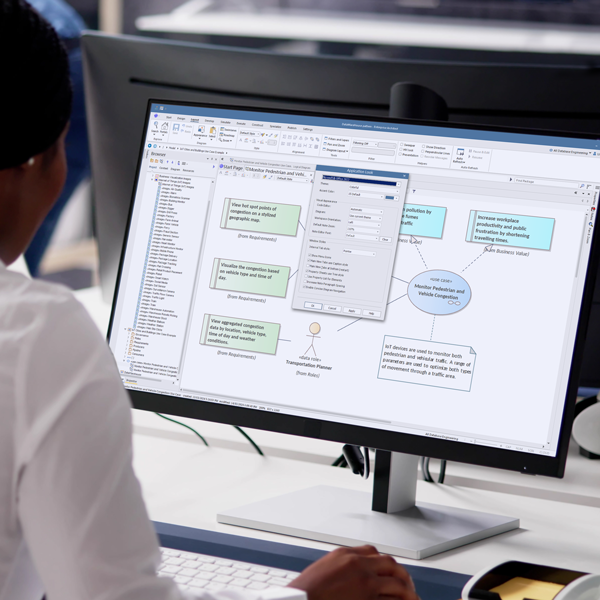
Data-centric projects of all sizes comprise cross-disciplinary teams, from high-level executives to data scientists and technology engineers. Using Enterprise Architect as a modeling platform, data stakeholders can integrate disparate ideas and ensure that projects deliver immediate and tangible business and technology value.

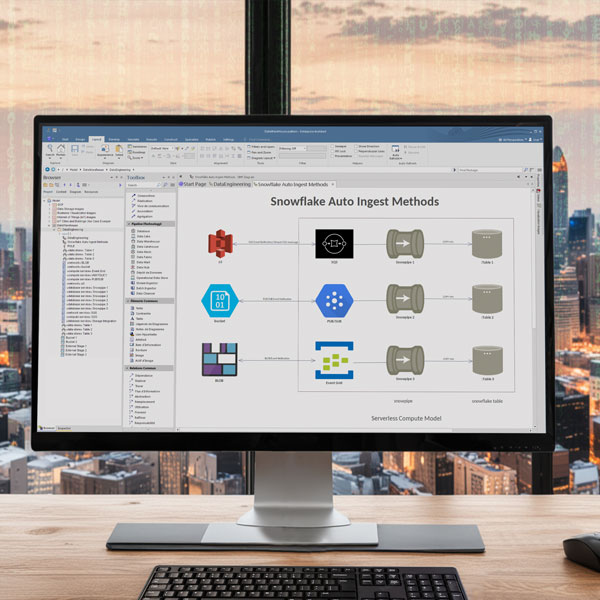
The data teams can model the strategic intent behind data capture, ingestion, visualization requirements, and data pipelines to create interlocking representations across multiple layers. The resulting models allow data stakeholders to understand, visualize, and manage data usage throughout the organization, including data management, governance, and security.

Data warehousing technology includes perspectives, model patterns, diagrams, and toolboxes.
Data Warehouse Modeling
The extensive set of data warehousing model patterns include:
  • Policy Documents
  • Audit documents
  • Data Quality
  • Data Lifecycles
  • Data Roles and Responsibilities
  • Data Glossaries
  • Data Principles
  • Internet of Things (IoT) Use Cases
  • Internet of Things (IoT) Use Cases examples
  • Internet of Things (IoT) Requirements
  • Data science

Perspectives, Patterns and Toolboxes

Perspectives
Use the Data Warehousing Perspective to get views and models focused on modeling data warehouse pipelines without the distraction of other features. Setting the Data Warehousing Perspective ensures that the Data Warehousing diagrams, their toolboxes, and other relevant features of this Perspective will be available by default.
Model Patterns
The data warehousing patterns comprise a valuable set of templates and worked examples that you can use to get off to a flying start. The model patterns contain content you can inject into your model at the selected location in the project browser and start modeling it by extending or customizing it to your needs.
There are 3 sets of model patterns for IOT. Among which one set gives examples for key aspects of gathering data from IoT devices and other sources, ingesting it into data warehousing storage devices, and creating business intelligence visualizations for business stakeholders based on their requirements.
Data modelers and other stakeholders can use the model pattern, including enterprise data images, to represent data warehousing concepts.

The image sets include:
  • Personally Identifiable Data images
  • Internet of Things Images
  • Data Storage Images
  • Business Visualization Images
Download the image sets once into your model repository and use the images in suitable places in your model diagrams.
Diagrams and Toolboxes
The Data Warehousing technology allows you to create integrated traceable diagrams with a separate toolbox for each layer of Data warehouse design: Business, Strategy, Governance, Application, Technology, and Data. These diagrams and accompanying toolboxes provide clear differentiation between different types of elements in each layer.
Perspectives, Patterns and Toolboxes

Tools, Technologies and Frameworks

Tools, Technologies and Frameworks
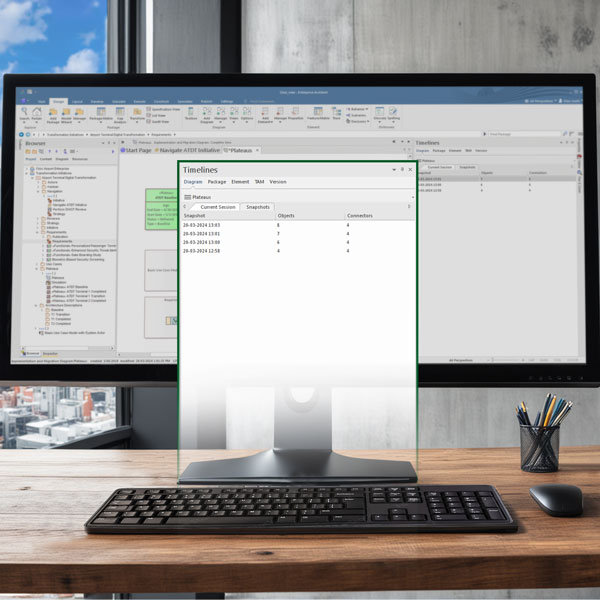
Timelines window
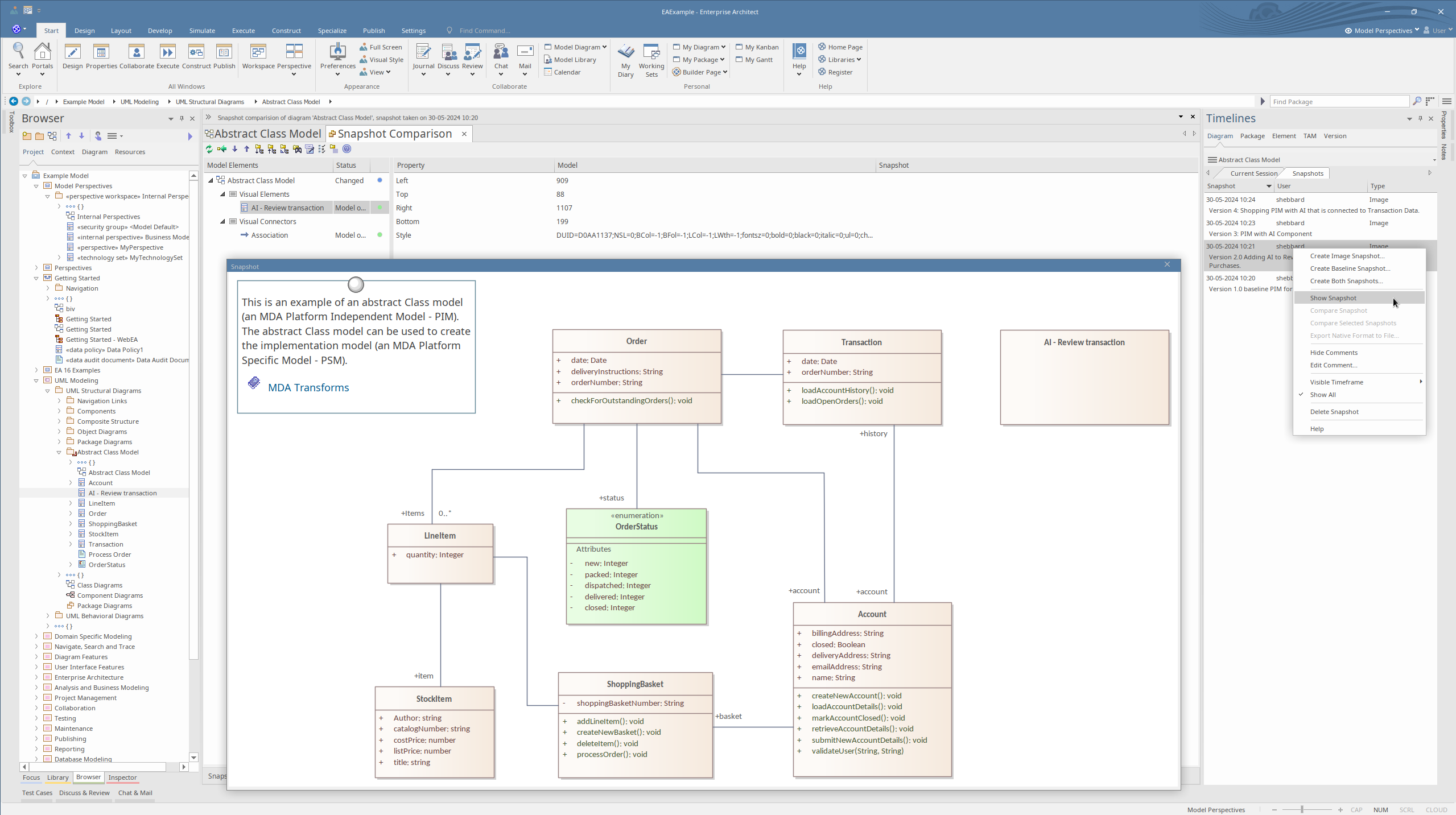
Timeline Snapshots Timeline Snapshots

Time-Aware Modeling

Visualize and Monitor Evolutionary Changes in Your Models

Discover the power of Time Aware Modeling (TAM) for Sparx Systems, allowing you to seamlessly track and visualize the evolution of your System or Enterprise architecture over time. With TAM, gain insights into new developments, features, and bug fixes, enabling you to maintain a clear roadmap of your projects' development trajectory within your model.

Baseline Comparison Expansion

Elevate your model comparisons by now being able to compare packages with models across various platforms, including local files, Native Connections, ODBC connections, and Cloud-hosted models. This expanded capability enhances your ability to assess changes and maintain consistency across your architecture elements.

Enhanced Package Control

Efficiently manage model packages with precision by comparing them to native XML/XEA files, replicated or branched models, and different versions or branches of model packages. This level of control ensures comprehensive analysis and alignment of your architecture components.

Introducing the Timelines Window

Empower your modeling experience with the new Timelines window, allowing you to create snapshots of diagrams, packages, and elements within defined timeframes. Capture key moments in your architecture's evolution and leverage these snapshots for enhanced traceability and audit capabilities.

Diagram Enhancements
  • Capture image snapshots and Baseline snapshots of current model diagrams.
  • Seamlessly create snapshots of diagrams to track incremental changes over time.

Package Management
  • Create package snapshots and clones within TAM for detailed comparisons.
  • Compare model packages across different versions, clones, or branches for comprehensive analysis.

Element Tracking
  • Capture Core and Full snapshots of elements for granular visibility into changes.

Version Control and Audit
  • Establish versioning protocols to track model iterations over time.
  • Utilize audit controls within the Timelines window to review context-based audit history, ensuring transparency and accountability in your architecture management processes.

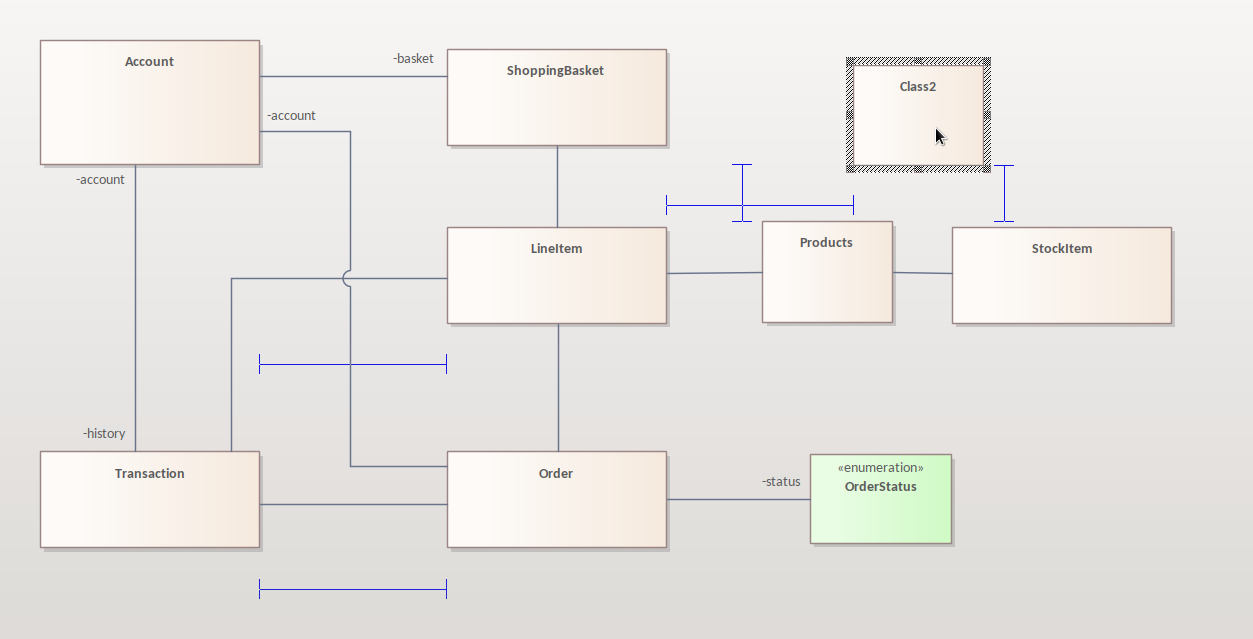
Diagram Smart Placements and Guides

Smart Placement
Smart Placement Grid Smart Placement Guides
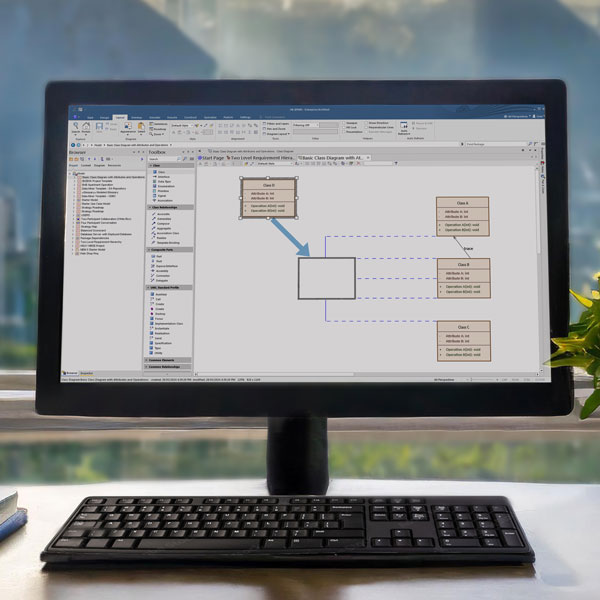
In Enterprise Architect 17, the updated smart placement feature ensures precise arrangement and alignment of elements within diagrams. This allows you to optimize your layouts and create model diagrams that are presentation-ready.

  1. Enhanced Snap Points: Objects can now be snapped to the midpoint between two objects or resized to have the same width and/or height as other objects on the diagram.
  2. Visual Guides: New visual indicators display the snapping behavior being applied, including indicators for objects of the same size, horizontal/vertical position, and same width/height when resizing.
  3. Flexible Layout: Non-embedded child elements can now snap to elements in different parent containers, increasing flexibility in diagram layout.
  4. Smart Placement Options: A new drop-down menu button for Smart Placement options is now available under the Layout > Alignment ribbon category. This includes options for multi-select snapping, displaying guides, snapping to element bounds, maintaining same size, relative spacing, midpoints, and more.
  5. Edge and Center Snapping: Improved alignment accuracy when moving and snapping multiple elements to the edges and centers of other elements.
  6. Smooth Alignment: Experience smoother and more accurate alignment of diagram objects with these enhancements.
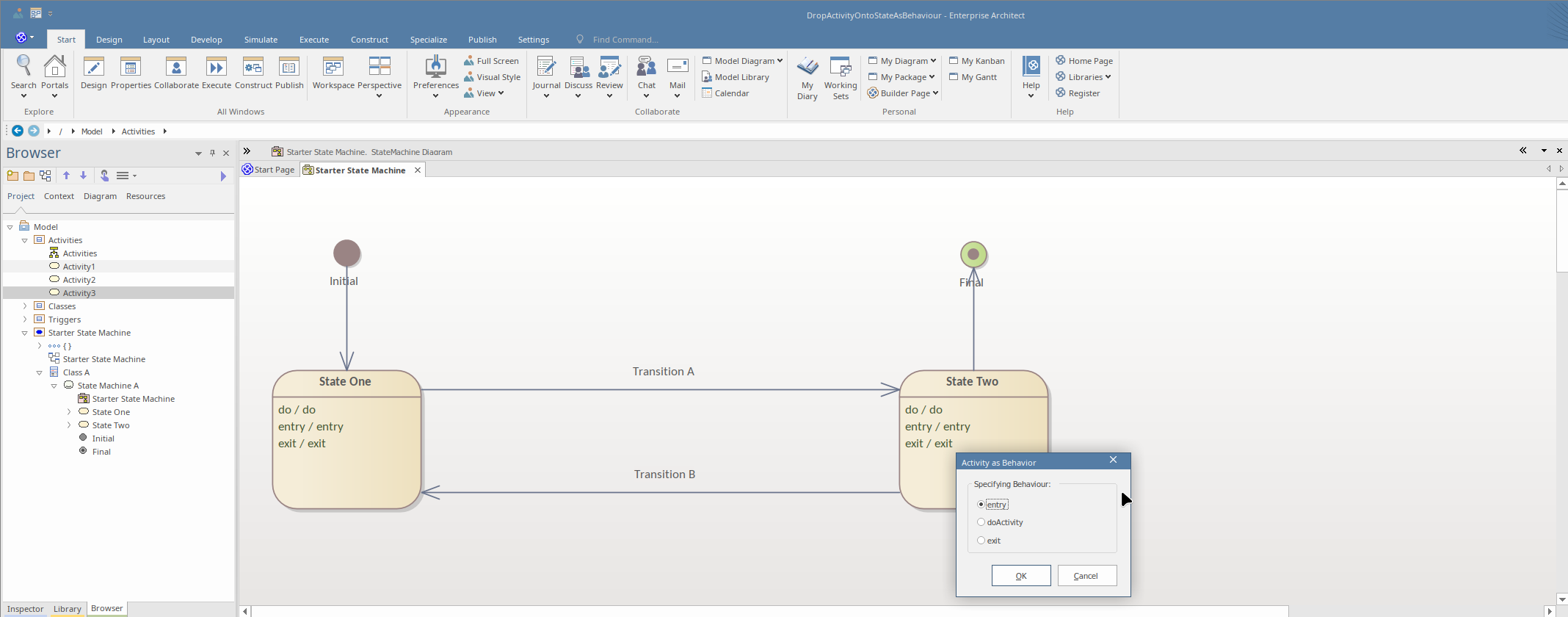
Drag and Drop

Diagramming Drag and Drop

Simplify various diagramming use cases with the new drag & drop capabilities in Enterprise Architect 17:

  • Conveyed Items: Drag a Classifier onto an ItemFlow to add it as a conveyed item.
  • StateMachine Triggers: Drag a Trigger onto a Transition in a StateMachine diagram to apply it as a trigger.
  • State Behaviors: Drag an Activity onto a State in a StateMachine diagram to apply it as an 'entry|do|exit' behavior, with a prompt for the action type.
  • Sequence Diagram Operations: Drag an Operation onto a message in a Sequence diagram to set it as the called operation.
  • Signal Applications: Drag a Signal onto a message in a Sequence diagram, a SendSignal Action, or an AcceptEvent Action to create a new Trigger and apply the signal.
  • Connector Adjustments: Drag an element onto a connector to split the existing connector and rejoin the ends to the dropped element where appropriate.

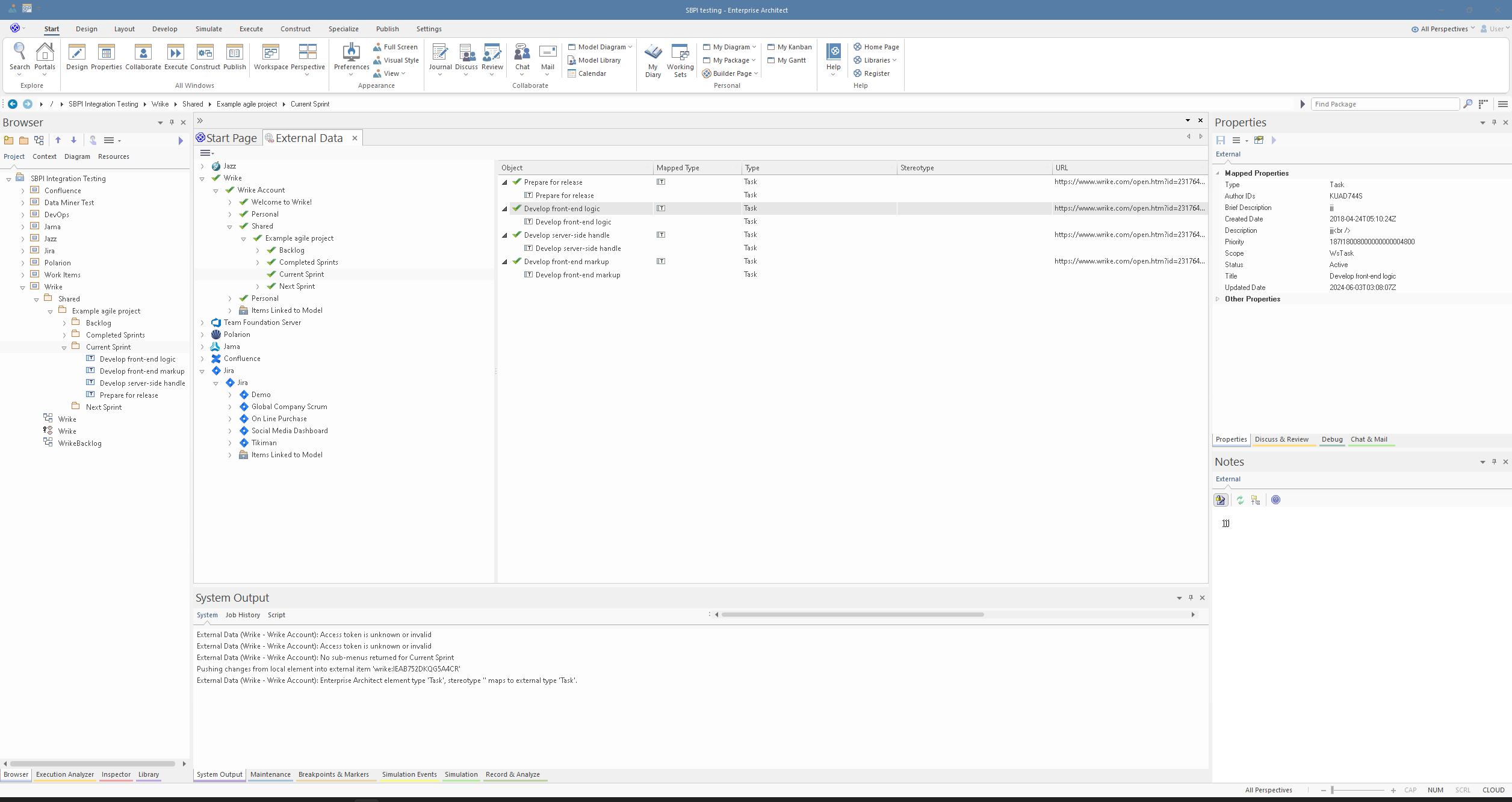
External Data Integration

Enterprise Architect 17 introduces an enhanced user interface for the SBPI integration window, enabling seamless navigation across various external data providers and different menu levels within those providers.

SBPI allows you to create a representation and link external data elements from third-party tools inside Enterprise Architect. These elements can then be linked and used in your modeling activities, while keeping the data updated with any changes from the third-party tool.

Enterprise Architect Version 17 allows you to:
  • Link entire folder hierarchies in third-party tools.
  • Attach an image of the relevant Enterprise Architect diagram associated with the linked element for easy reference and traceability.
  • Add a hyperlink to the relevant architectural element or diagram in WebEA.
  • Bulk synchronization allows bi-directional synchronizing.
  • Synchronize External Data settings window allows you to resolve conflicts when both external and local element have modifications.
The new updates ensure your data remains up-to-date across all information systems.
Redesigned Integration Interface
Refined Accessibility and Standards

Refined Accessibility and Standards

Version 17 offers enhanced accessibility capabilities. Improved dialogue interaction via Windows Narrator makes it possible to confidently navigate dialog labels and controls.

Windows Narrator now has the ability to read the selected item of any tree control or list control simply by tabbing through them in Enterprise Architect.


Voluntary Product Accessibility Template® (VPAT®)

Sparx Systems has also completed the VPAT 2.5 self assessment including:
  • Web Content Accessibility Guidelines 2.2
  • Revised Section 508
  • EN 301 549 Accessibility requirements for ICT products and services

Please reach out to our sales team to learn more.

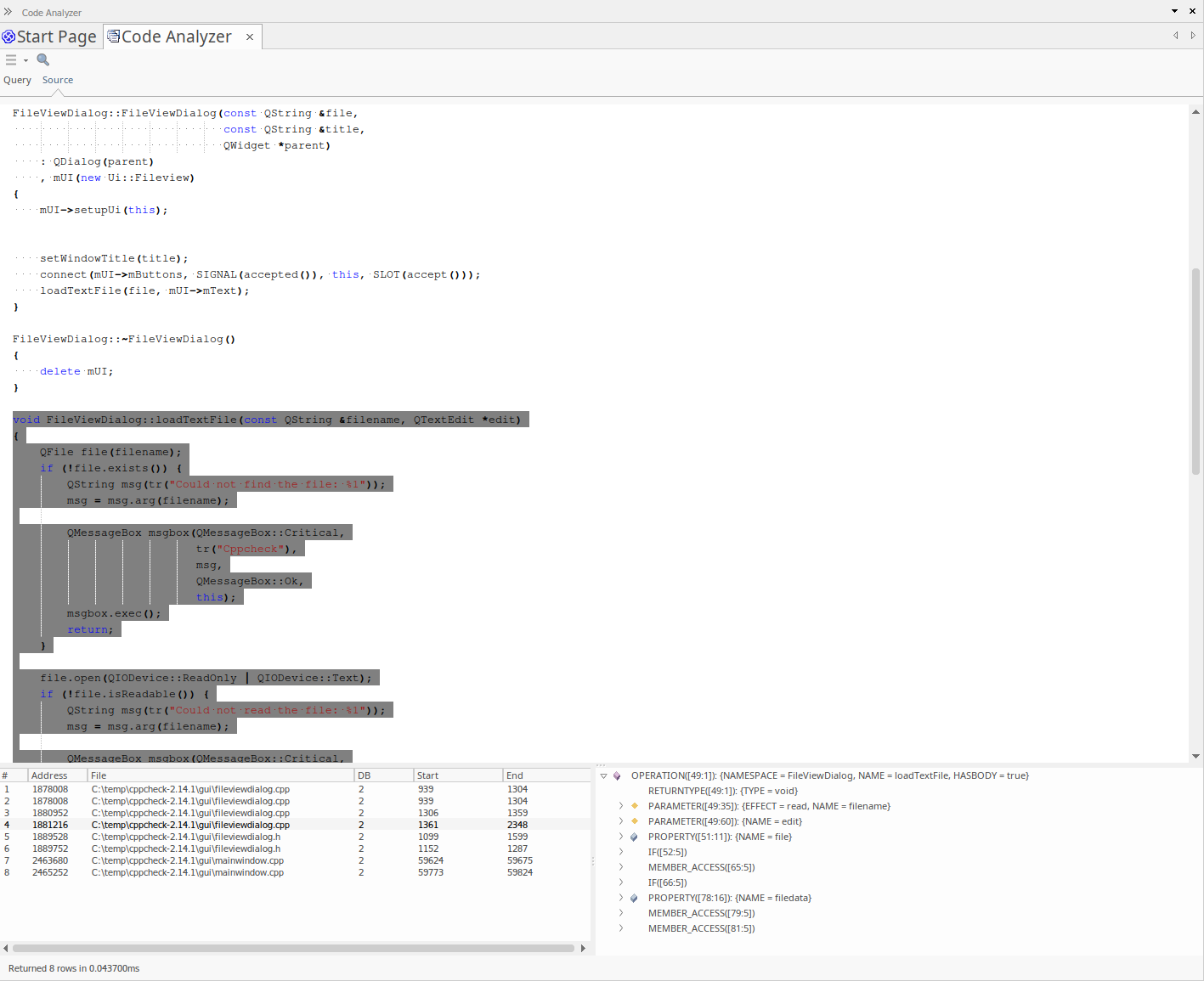
Code Miner

Enterprise Architect 17 offers you full access to the Code Miner API. The new API will delegate all calls to an internal code miner which will manage the node sets. Import complex data from grammars, logic and rules specific to your project.
  • Implement the full set of Code Miner MFQL queries and actions
  • Implement a ICMLoadDatabase function taking either a file name or an existing database pointer
  • Works with Javascript and the model addins
It is available in the Corporate, Unified and Ultimate editions of Enterprise Architect
Code Miner
Profile Authoring with Traceability Window Support showing extension connectors

Profile Authoring

Enterprise Architect 17 introduces a suite of enhancements and refinements to Profile Authoring, providing a more streamlined and intuitive experience for users.
  • Profile Helper Dialog: Enhanced properties for Attribute and Operation visibility now allow values to be set to blank (default) or "False," offering greater flexibility in profile customization.
  • UML Profile Publishing: The process for publishing packages as UML Profiles has been improved, ensuring unique Profile IDs are consistently created for a more reliable experience.
  • MDG Technology Import: A new 'Import Package as MDG Technology' option is now available. This feature provides a quick alternative to using an MTS file for importing technologies into your model. Accessible when selecting an <<mdg technology>> package, it automatically combines child packages <<profile>>, <<toolbox profile>>, and <<diagram profile>> into an MDG Technology for seamless integration.
  • Diagram Property Addition: A Diagram Property has been added to the profile diagram toolbox, enhancing customization and management of diagrams.
  • Traceability Window: The Traceability window now includes Extension relationships, providing improved visibility and trace analysis.
  • Extend Metaclass Dialog Updates: The addition of ForkJoinH and ForkJoinV, coupled with the streamlining of available synchronization options, simplifies the profile customization process.
  • _HideUmlLinks Property: A new _HideUmlLinks property has been introduced in the Profile Helper dialog, offering more control over UML link visibility.
  • Shape Scripts Enhancements: New "bookmark" and "bookmarkvalue" properties are available for shape scripts, and shape scripts can now be defined for Include and Extend use case connectors, adding further customization options.
  • Quicklinker Improvements: Enhanced Quicklinker behavior ensures accurate connections when the target element and connector stereotypes are from different profiles. Additionally, profile export of tagged value definitions has been refined to improve consistency, and overall quicklinker performance for UML Profile diagrams has been optimized for a smoother user experience.
Enterprise Architect 17's advancements in Profile Authoring provide a powerful, user-friendly modeling environment that meets the evolving needs of our users.

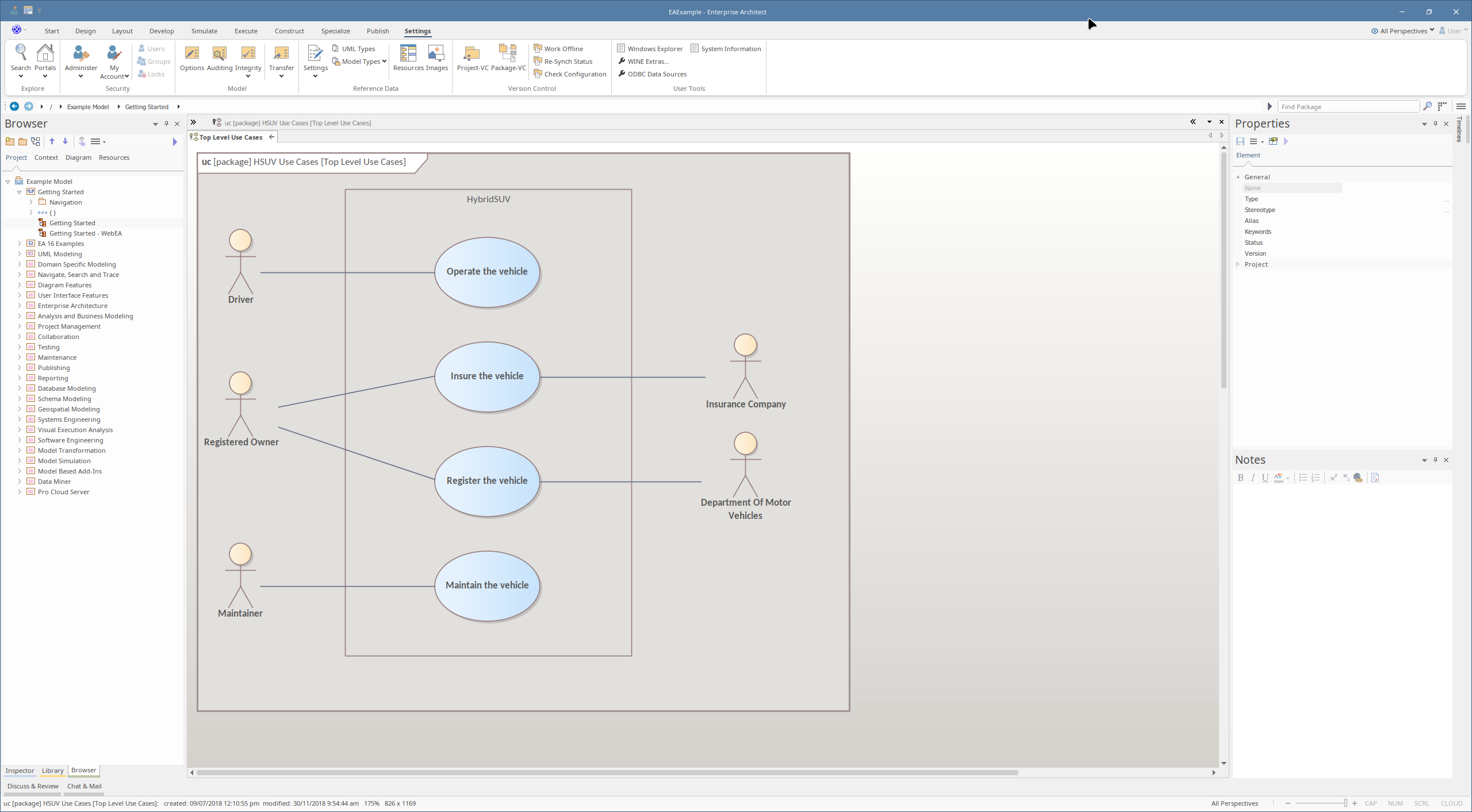
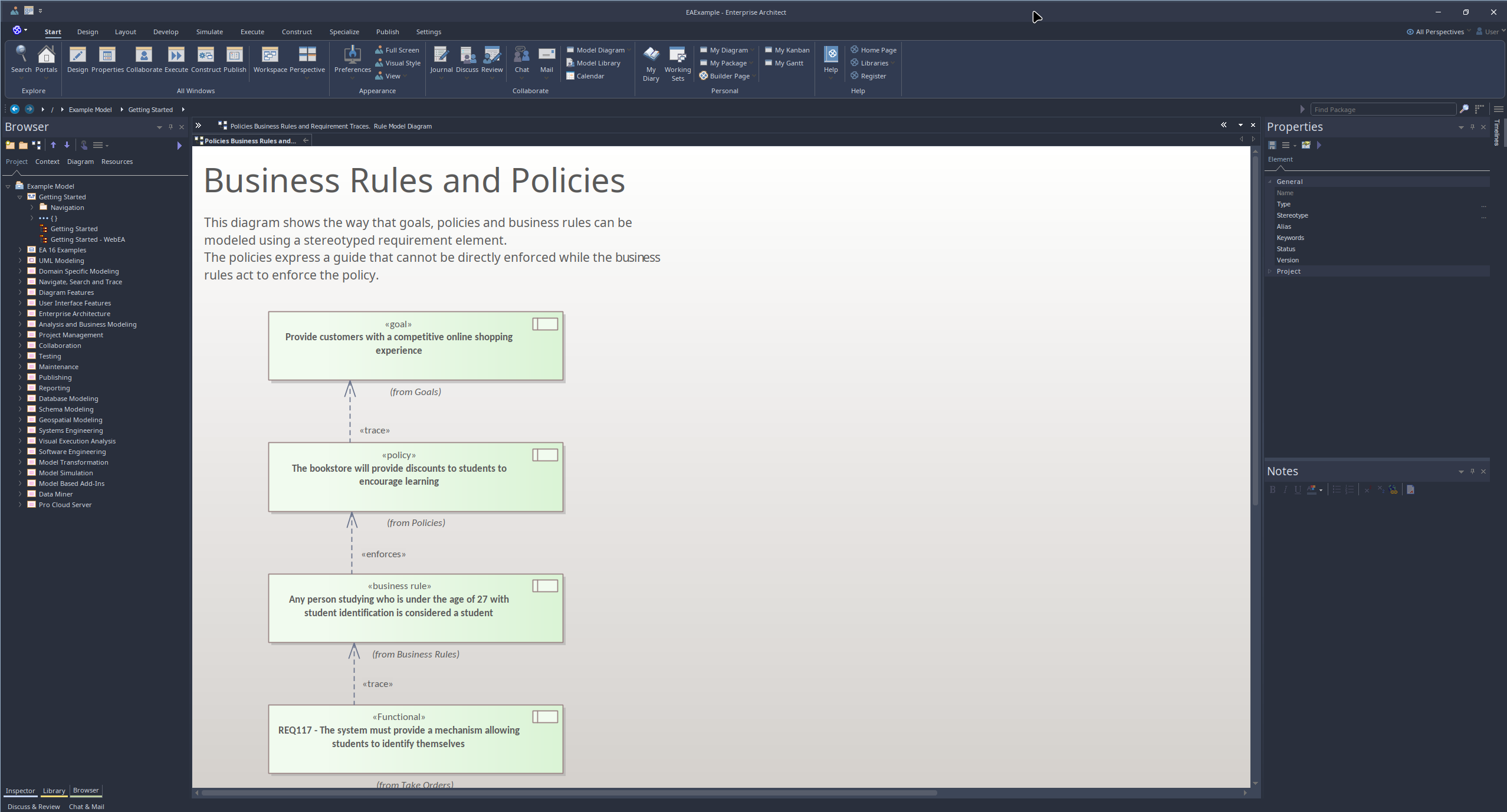
Office 2022 Visual Style

Enterprise Architect 17 introduces a fresh visual enhancement with the addition of the new 'Office 2022' theme. This theme is now available in the Application Look dialog from the Visual Style button from the Start Ribbon and offers users a modern and polished interface option. The 'Office 2022' theme brings a contemporary aesthetic to your modeling environment, ensuring a visually appealing and user-friendly experience.
Office 2022 Visual Theme
Office 2022 Visual Theme Office 2022 Visual Theme Dark
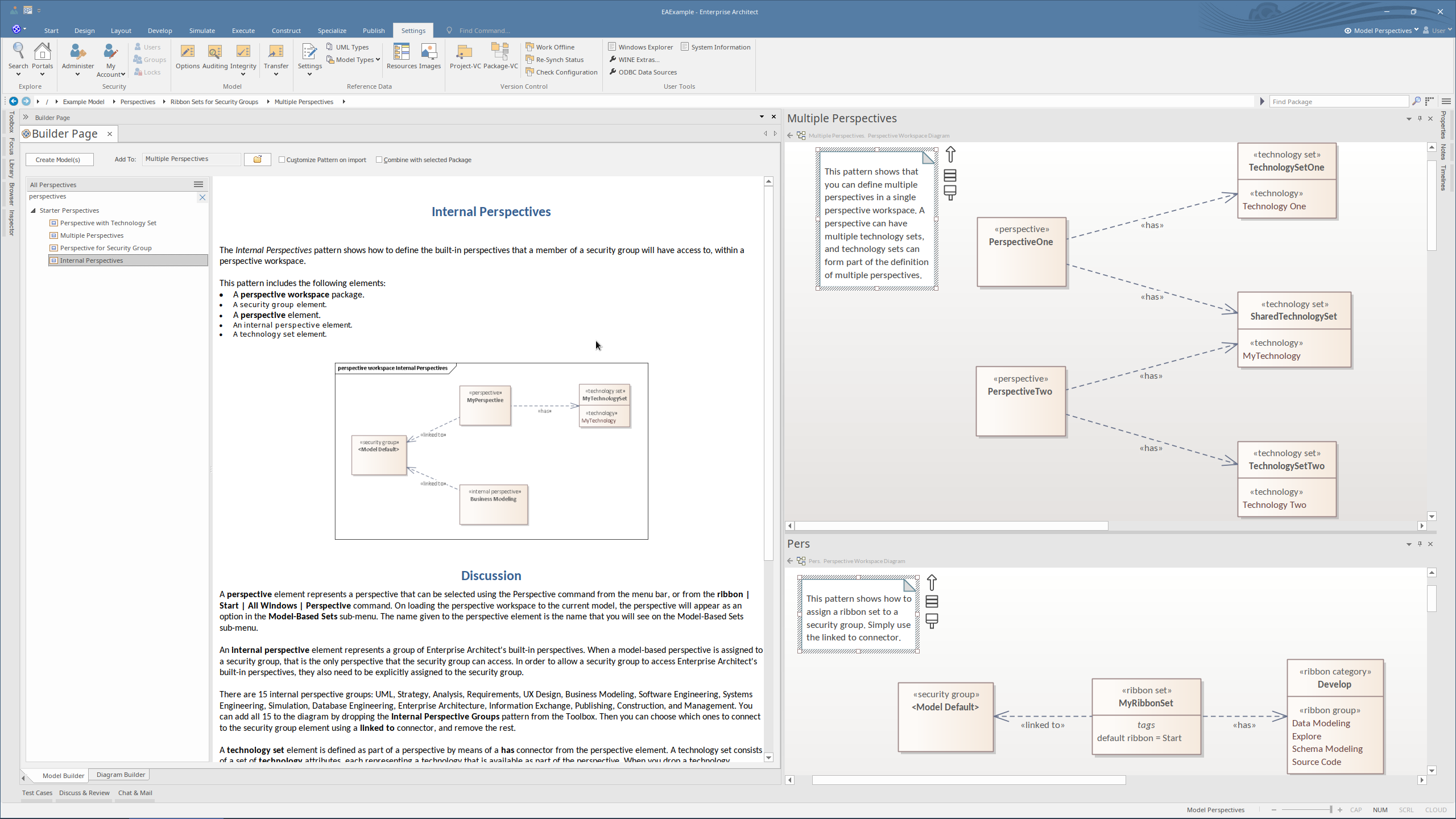
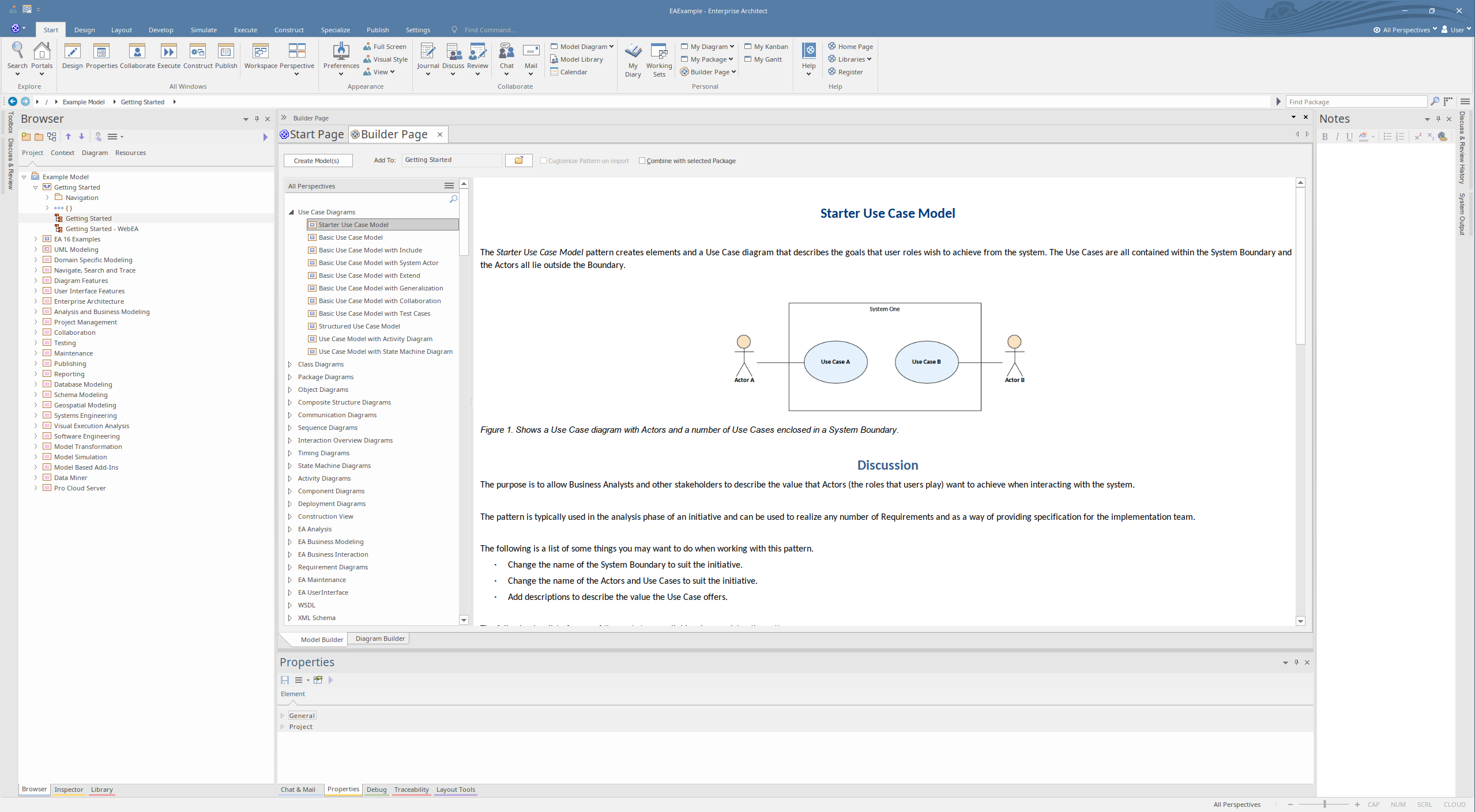
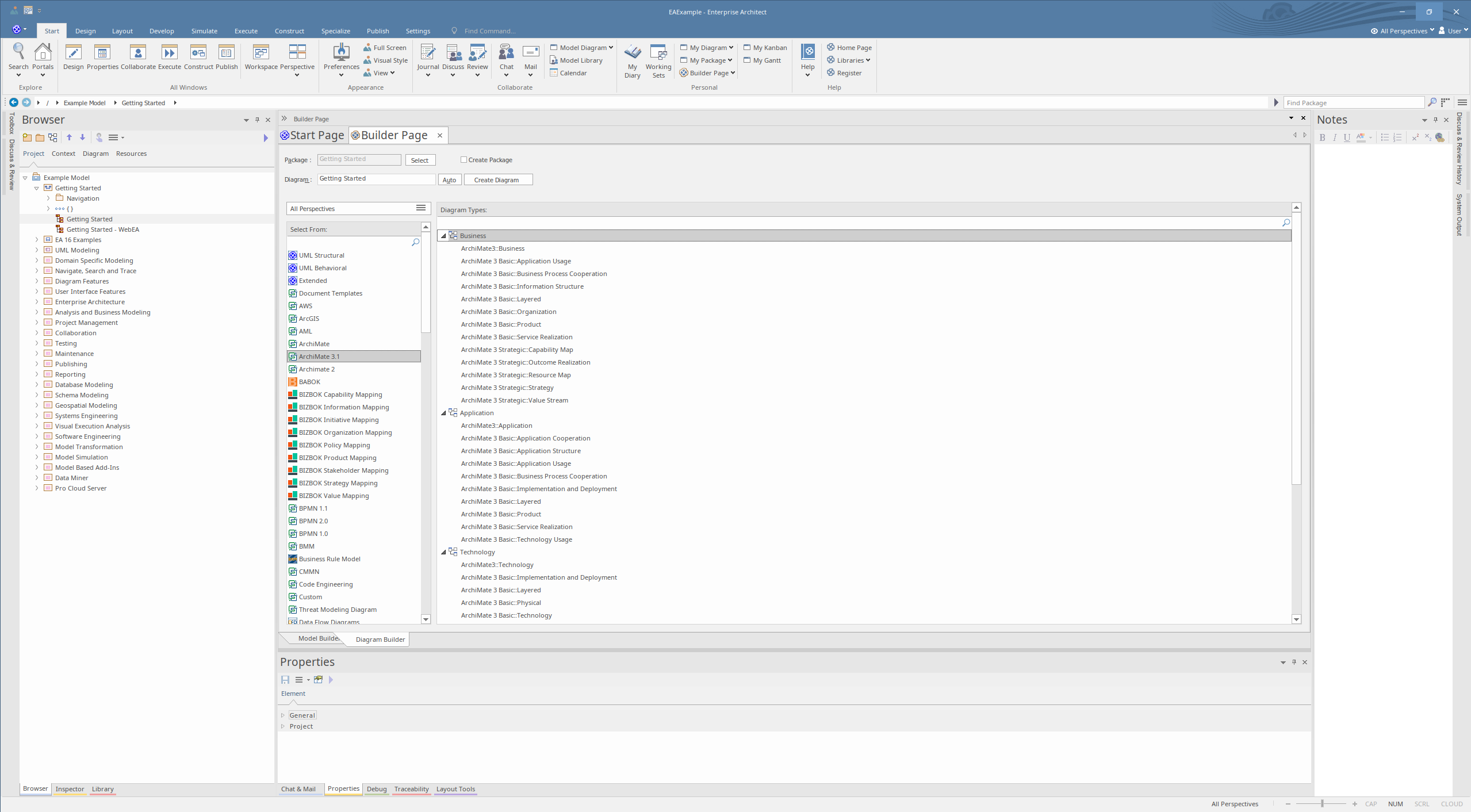
Builder Page
Builder Page - Model Builder Builder Page - Diagram Builder

Introducing the Builder Page

Our latest update brings a more intuitive and streamlined interface with the introduction of the Builder Page.

The Builder Page is comprised of two sections:

  • Model Builder: Previously known as 'Create from Pattern', this tool is now more accessible and ready to help you construct models with ease. Find it conveniently located within the Builder Page.
  • Diagram Builder: The 'Add Diagram' function has been revamped and renamed. Now called 'Diagram Builder', it offers a simplified and more powerful way to add diagrams to your projects, all within the new Builder Page.


Experience a more efficient workflow with these enhancements, designed to make your project building process smoother and more intuitive.

Introducing Prolaborate 5.6

Prolaborate Logo
The Prolaborate v5.6 highlights are also mentioned at: 

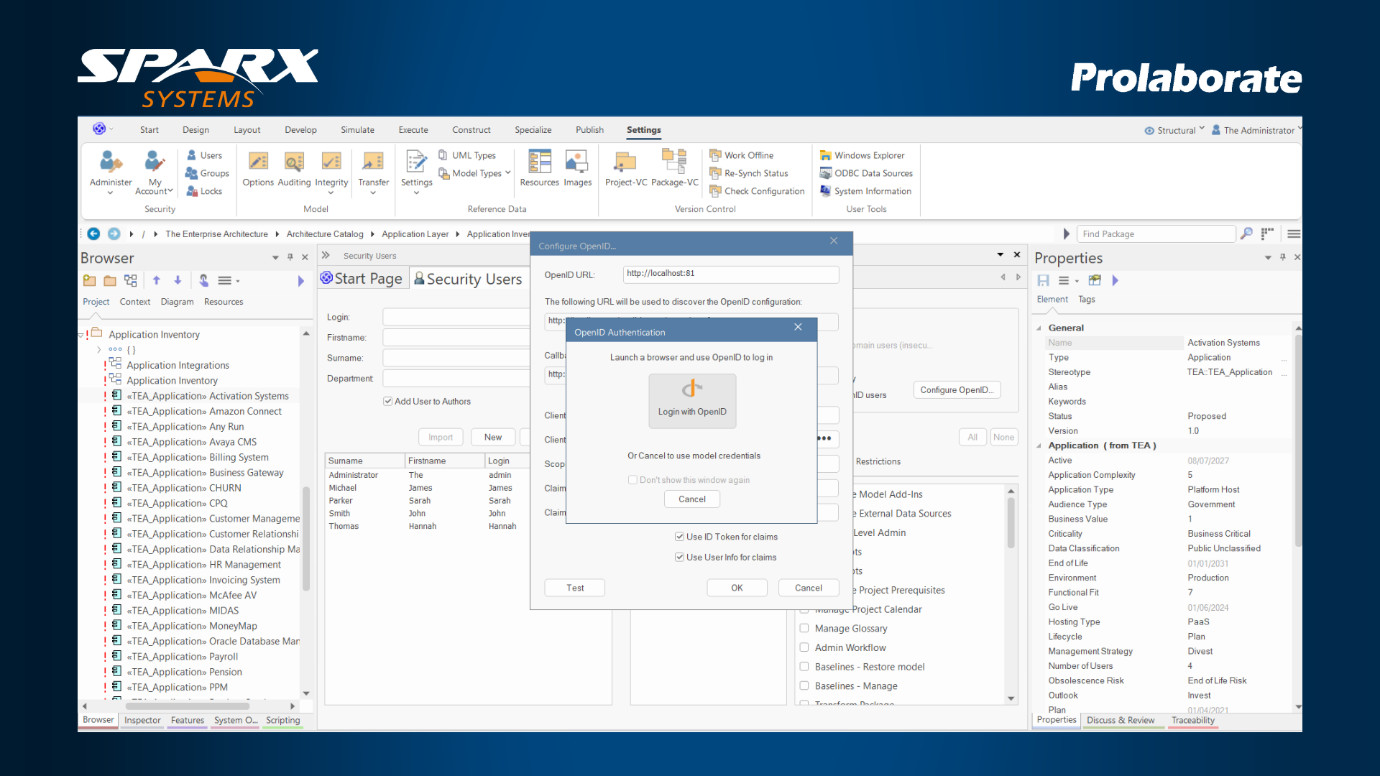
Unified Authentication for EA and Prolaborate

In earlier environments, organizations had to configure Single Sign-On (SSO) separately for Enterprise Architect (EA) and Prolaborate. This meant duplicate work for administrators and added complexity in managing users.
With the upcoming release, Prolaborate can now serve as the Identity Provider (IdP) for EA models. This integrated setup allows users to log in to EA directly from the desktop application using their Prolaborate credentials. EA administrators simply configure OpenID in the EA model with Prolaborate’s Client ID and Client Secret.
Key Benefits:
  • One configuration, two platforms: If your organization already uses an external SSO solution such as Okta, set it up once in Prolaborate and extend it to both EA and Prolaborate.
  • Remove the need for separate SSO setups in Sparx Enterprise Architect.
  • Retain all authentication and credentials in Prolaborate for consistent control.
Unified Authentication for EA and Prolaborate

Introducing Real Time Chat between EA and Prolaborate

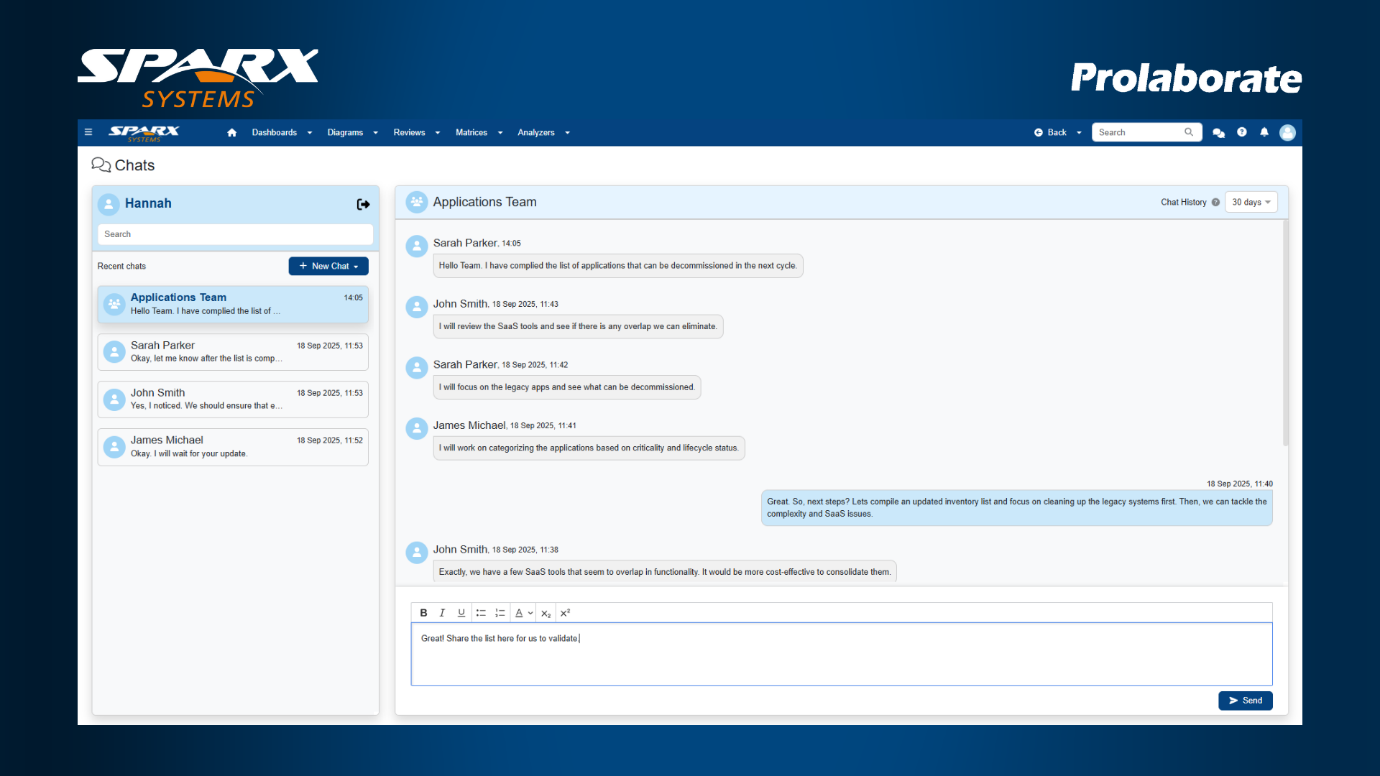
The upcoming release takes collaboration to the next level with real-time chat between Enterprise Architect (EA) and Prolaborate users. For the first time, teams working inside EA can connect instantly with stakeholders using Prolaborate, breaking down silos and accelerating decision-making.
Key Benefits:
  • Collaborate seamlessly with individuals and groups linked to your EA models.
  • Stay connected in real time, whether starting a new conversation or responding to an existing EA chat, all directly within your application.
  • Access recent conversations faster, with chat history retained for the last 90 days to keep performance optimized.
Real Time Chat between EA and Prolaborate

Adding a Secure Layer for EA Models

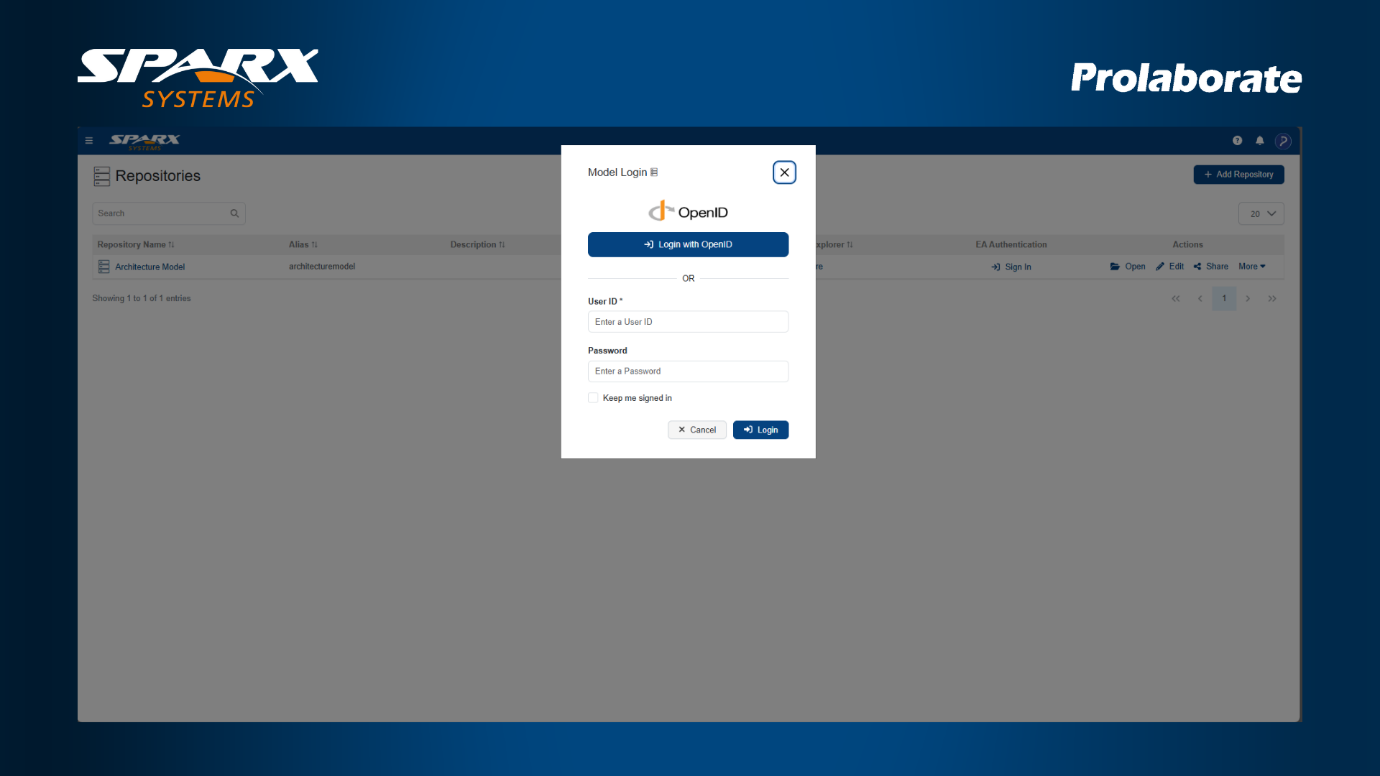
The new feature strengthens access to Enterprise Architect (EA) models in Prolaborate by introducing enhanced authentication linked directly to EA model security.
Users can now access Prolaborate repositories using their EA model credentials or, if enabled, authenticate through EA OpenID. This approach ensures that only authorized EA users can view model information, while giving organizations flexibility in how login is managed.
Key Benefits:
  • Only authenticated users can open and work with EA model repositories.
  • Support for both EA credentials and OpenID, depending on organizational needs.
  • Any artifacts created in Prolaborate automatically record the logged-in user as the author.
Adding a Secure Layer for EA Models

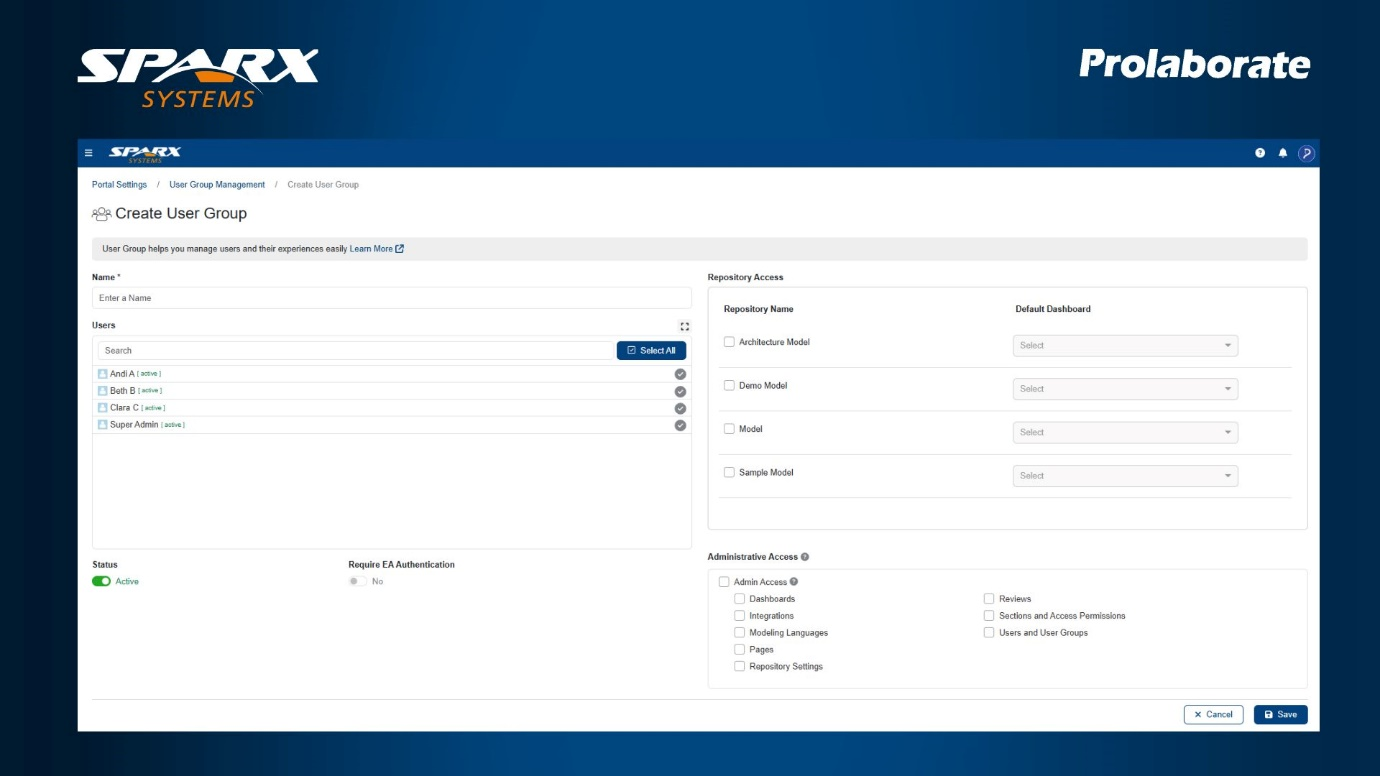
Centralized User and Group Management

Managing users across multiple repositories has often required duplicate effort. In earlier versions, administrators had to recreate the same user groups, permissions, and access settings in each repository, a process that was both time-consuming and prone to errors.
With the new centralized User and Group Management, administrators can now set up and control access from a single location at the application level. This streamlined approach reduces overhead, simplifies onboarding, and ensures that policies remain consistent across repositories.
Key Benefits:
  • Create user groups once and apply them across multiple repositories.
  • Assign repository access and manage feature-level permissions centrally.
  • Maintain consistent user roles while reducing the risk of misconfiguration.
Centralized User and Group Management

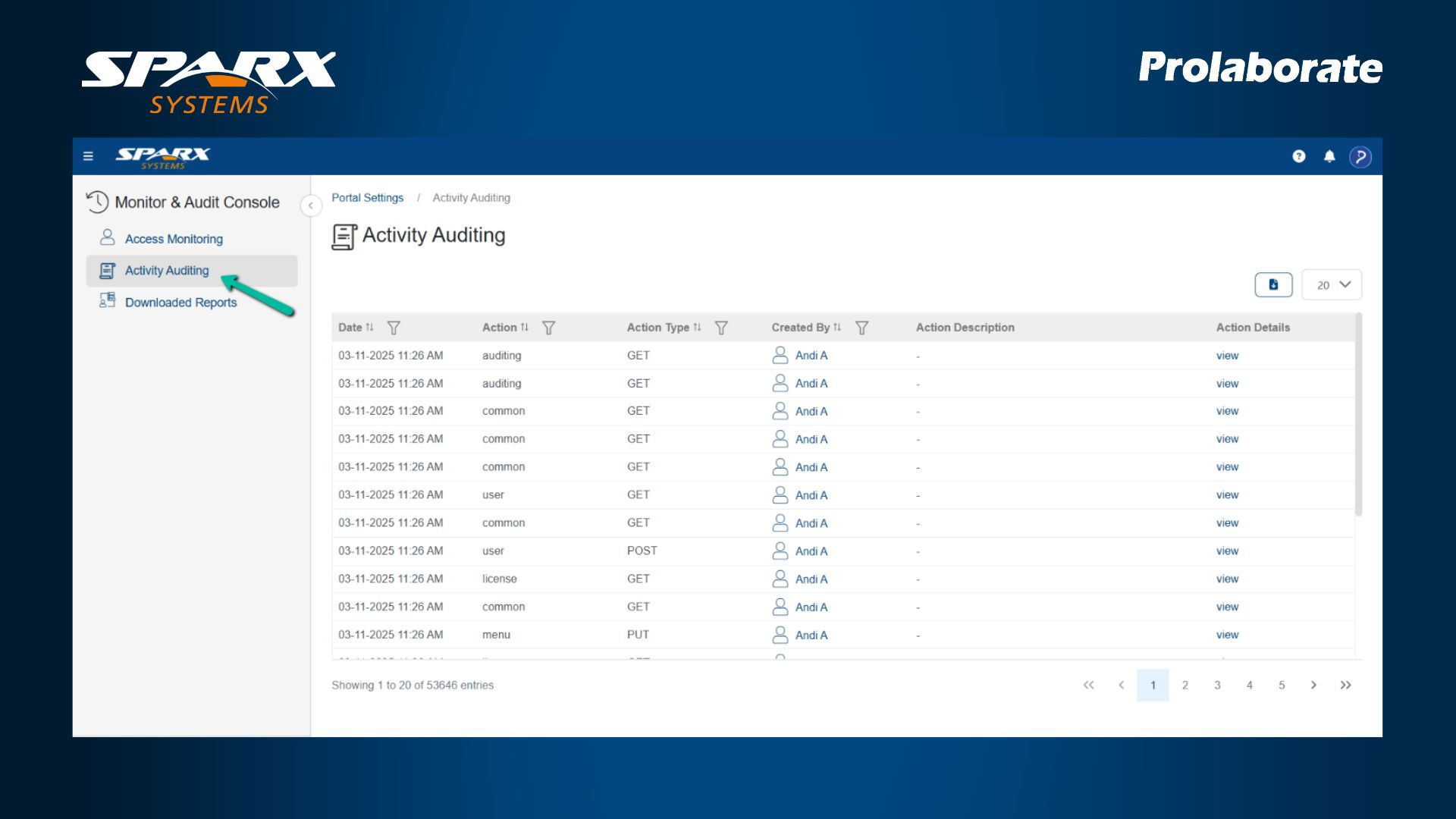
Built-in Audit Log Viewer

In earlier versions, accessing audit logs in Prolaborate often required backend access or manual file retrieval. This slowed investigations, made compliance checks more difficult, and limited visibility for administrators.
With Prolaborate 5.6, a built-in audit log viewer is now available directly in the user interface. Administrators can track user activity and system events without leaving the application, making it faster and easier to monitor security and compliance.
Key Benefits:
  • Instantly see who performed which action and when, directly in the UI.
  • Detect unauthorized access, unusual behavior, or configuration changes.
  • Keep logs accessible for ISO, GDPR, HIPAA, and other compliance needs.
  • Export logs as Excel files for review, reporting, or long-term archiving.
Built-in Audit Log Viewer

Smart Artifact Search

Locating specific artifacts in Prolaborate could be time-consuming, especially when working across large models. Searches often required multiple steps to refine results, slowing down everyday work.

Finding specific artifacts in Prolaborate could previously take multiple steps, especially when working with large models.
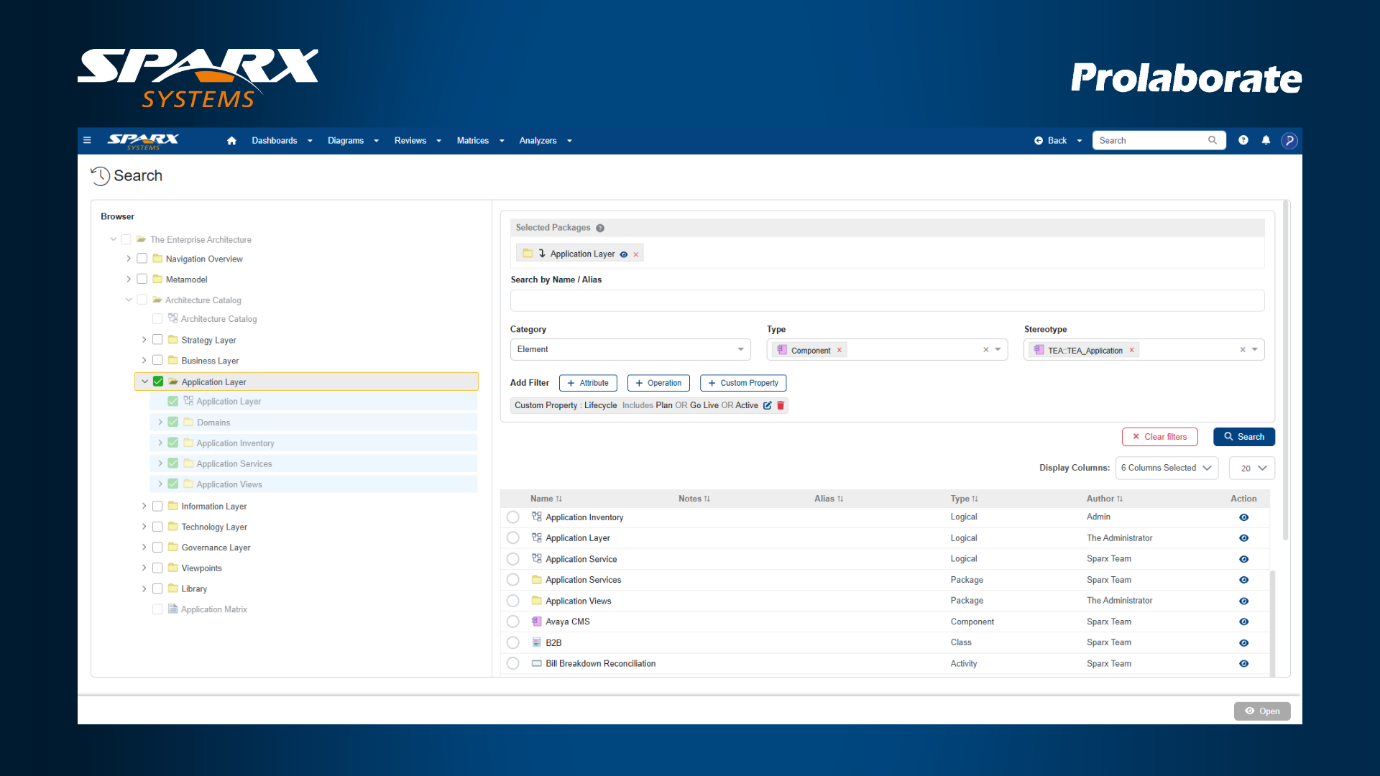
With Prolaborate 5.6, the search function has been redesigned to deliver results more quickly and accurately. The refreshed interface makes easier to apply filters, and the optimized engine ensures faster responses, even when searching across complex models.
Key Benefits:
  • Search by attributes, operations, and custom properties in a refined interface.
  • Apply multiple conditions to narrow results with higher accuracy.
  • Limit searches to specific packages for focused, relevant outcomes.
Smart Artifact Search

Effortless Large Report Handling

Previously, downloading large reports or datasets in Prolaborate meant keeping the download window open until the file was ready, forcing users to wait and sometimes even risking application crashes.
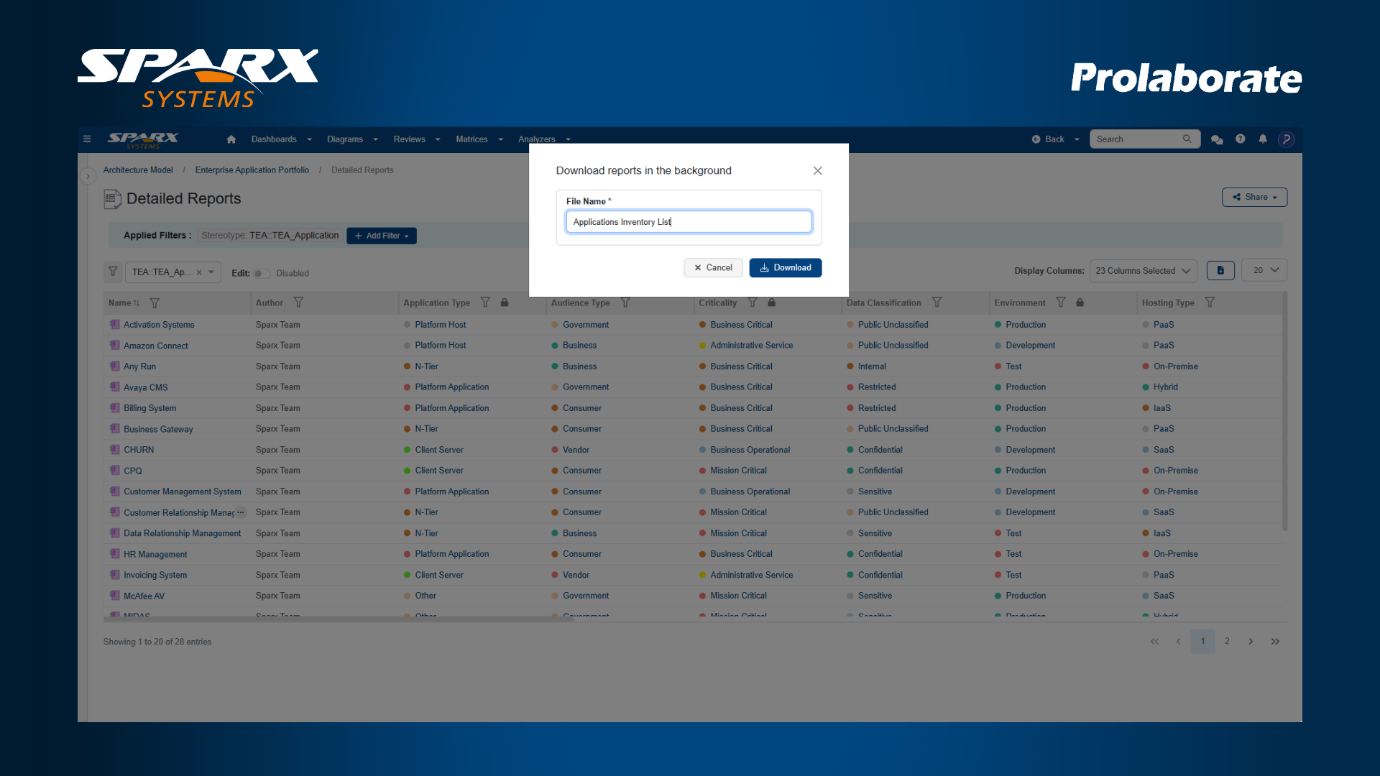
With Prolaborate 5.6, downloads are now processed in the background. This means you can continue working on other tasks while the system manages the file generation. Once the report is ready, you’ll receive a notification and can download it instantly.
Key Benefits:
  • Large Excel reports are generated in the backend, freeing you to continue your work without interruption.
  • Automatic notifications keep you informed when your file is ready.
Effortless Large Report Handling

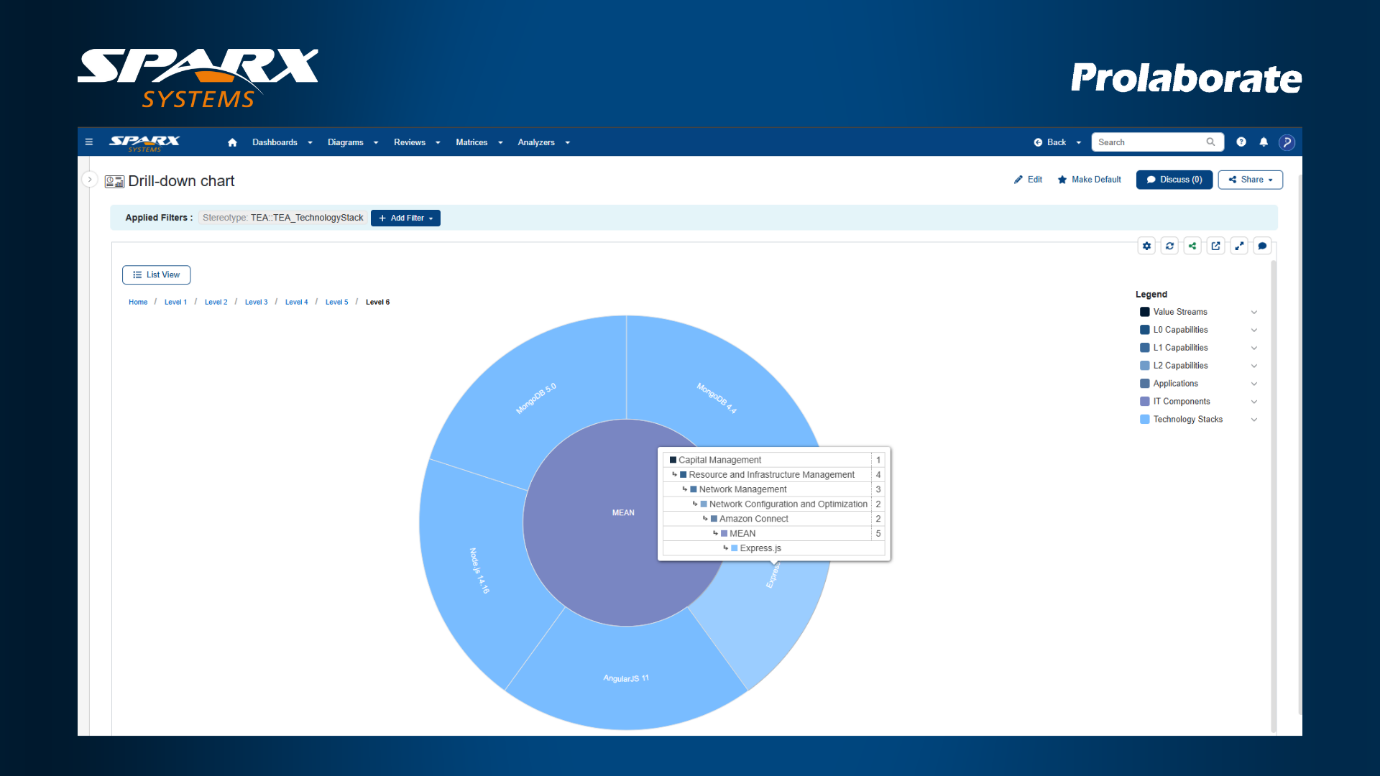
Holistic View with 7-Level Hierarchical Charts

In earlier versions, Prolaborate supported only limited depth when setting up nested charts. For teams dealing with large or complex models, this restricted the ability to drill down into deeper insights.
With Prolaborate 5.6, you can now configure Nested Pie and Heatmap charts with up to 7 hierarchical levels. This added depth makes it easier to explore complex structures, understand relationships, and uncover richer insights.
Key Benefits:
  • Visualize complex model structures in greater detail for stronger analysis.
  • Quickly identify relationships and dependencies between artifacts.
  • Gain layered insights that support better decision-making.
Holistic View with 7-Level Hierarchical Charts

Localized Experience for Swedish Team

Prolaborate now supports Swedish as an interface language, alongside English, French, Dutch, Arabic, Spanish, and German, expanding accessibility for global teams.
Key Benefits:
  • Use Prolaborate in Swedish for a more natural, localized experience.
  • Reduce barriers to adoption for Swedish-speaking users.
  • Support consistent collaboration across multilingual enterprises.

Unified User Activity and Audit Console

A single console now brings together user login history and audit records of user actions, giving administrators a clearer view of system activity.
Key Benefits:
  • Track both login patterns and user actions from one place.
  • Reduce admin effort with a unified interface for activity and audit data.
  • Easily access records to support compliance and detect unusual behavior.
Registered Download Enterprise Architect 17.1
Download the Enterprise Architect 17.1 installer

Additional Resources

Online User Guide: View the online Enterprise Architect v17.1 user guide
User Guide Library: View the Enterprise Architect v17.1 user guide in PDF
share this page share by email share on linkedin share on twitter share on facebook